
Quick answer: 0xc0000005 means a program tried to use memory it isn’t allowed to touch, so Windows stopped it. If only one app shows it, update or reinstall that app (Fixes 2 and 3). If many apps crash with it, the cause is usually damaged system files, a driver, antivirus software or faulty RAM, and Fixes 5 to 7 are where to look.
Applies to: Windows 11 and Windows 10. None of the fixes delete your personal files.
In this guide
- What 0xc0000005 means
- Where you see it
- Fix 1: Restart and run the app again
- Fix 2: Update or reinstall the app
- Fix 3: Repair Visual C++ Redistributables
- Fix 4: Check your antivirus
- Fix 5: Repair Windows system files
- Fix 6: Update or roll back drivers
- Fix 7: Test your memory (RAM)
- Fix 8: Scan for malware
- Fix 9: Find a conflicting program with a clean boot
- Fix 10: Undo recent changes
- If it happens while installing Windows
- Frequently asked questions
What 0xc0000005 means
0xc0000005 is Windows’ code for an access violation. Every program gets its own area of memory. When a program tries to read or write memory outside that area, Windows closes it to protect the rest of the system and reports this code.
The error itself doesn’t tell you why the program did that. It can be a bug in the program, a damaged file it depends on, another program interfering with it, or memory hardware that is returning bad data. That’s why the fixes below start with the program and work outwards.
Where you see it
| Message you see | What it usually points to | Start with |
|---|---|---|
| The application was unable to start correctly (0xc0000005) | A damaged program or a missing runtime file | Fix 2, Fix 3 |
| A program closes and Event Viewer shows exception code 0xc0000005 | A program bug, add-in or driver | Fix 2, Fix 6 |
| Several different apps crash with the same code | System files, antivirus or RAM | Fix 5, Fix 7 |
| Error during Windows setup or a Windows Update | Installation media, RAM or firmware | Installing Windows |
Fix 1: Restart and run the app again
Restart the PC (not Shut down, which keeps Fast Startup’s saved state on many PCs). If the app still fails, right-click its shortcut and choose Run as administrator once. If it works as administrator, the problem is permissions in the app’s folder, and reinstalling it (Fix 2) usually sorts that out for good.
Fix 2: Update or reinstall the app
- Check the app for updates from its own menu or from the developer’s website. Many access-violation crashes are bugs that have already been fixed.
- If there’s no update, open Settings > Apps > Installed apps (Windows 10: Apps & features), find the app, select the three dots or the app name, then Uninstall.
- Restart, then install the latest version from the official website or the Microsoft Store.
- If the crash is in Office, a browser or another program that supports add-ins or extensions, start it without them first (for example, hold Ctrl while opening Word or Outlook to start in Safe Mode). A faulty add-in is a common cause.
Fix 3: Repair Visual C++ Redistributables
Many Windows programs and games depend on Microsoft Visual C++ Redistributable packages. If one of them is damaged, the program can fail to start with 0xc0000005.
- Open Settings > Apps > Installed apps and type
Visual C++in the search box. - For each Microsoft Visual C++ 2015-2022 Redistributable entry (there is usually an x86 and an x64 version), select Modify, then Repair.
- If Repair isn’t offered or doesn’t help, download the latest supported Visual C++ Redistributable for both x64 and x86 from Microsoft’s website and install it.
Fix 4: Check your antivirus
Security software watches how programs use memory, and an over-eager rule can stop a legitimate program with this error.
- Open Windows Security > Virus & threat protection > Protection history and look for a block on the app at the time it crashed.
- If you use third-party antivirus, check its quarantine and event log for the program.
- Update the antivirus. If the program is from a trusted source and the antivirus is clearly blocking it, add an exception for that program only, rather than turning protection off.
Don’t leave real-time protection switched off to work around this error. If disabling it briefly makes the program work, that confirms the cause; then add an exception and switch protection back on.
Fix 5: Repair Windows system files
If several apps crash with the same code, damaged Windows files are a likely cause. Open Command Prompt as administrator (select Start, type cmd, choose Run as administrator) and run these two commands one after the other:
DISM /Online /Cleanup-Image /RestoreHealthsfc /scannow
Each can take 10 to 30 minutes. Restart when both have finished. If SFC reports that it found corrupt files but could not fix some of them, run both commands once more after the restart.
Fix 6: Update or roll back drivers
Games and graphics-heavy apps often crash with 0xc0000005 because of the graphics driver. Printer and audio drivers can also cause it in the apps that use them.
- If the crashes began after a driver update, open Device Manager, right-click the device (for example under Display adapters), choose Properties > Driver > Roll Back Driver.
- Otherwise, install the latest driver from your PC maker’s support page or from Intel, AMD or NVIDIA.
- Also install any pending items under Settings > Windows Update > Advanced options > Optional updates.
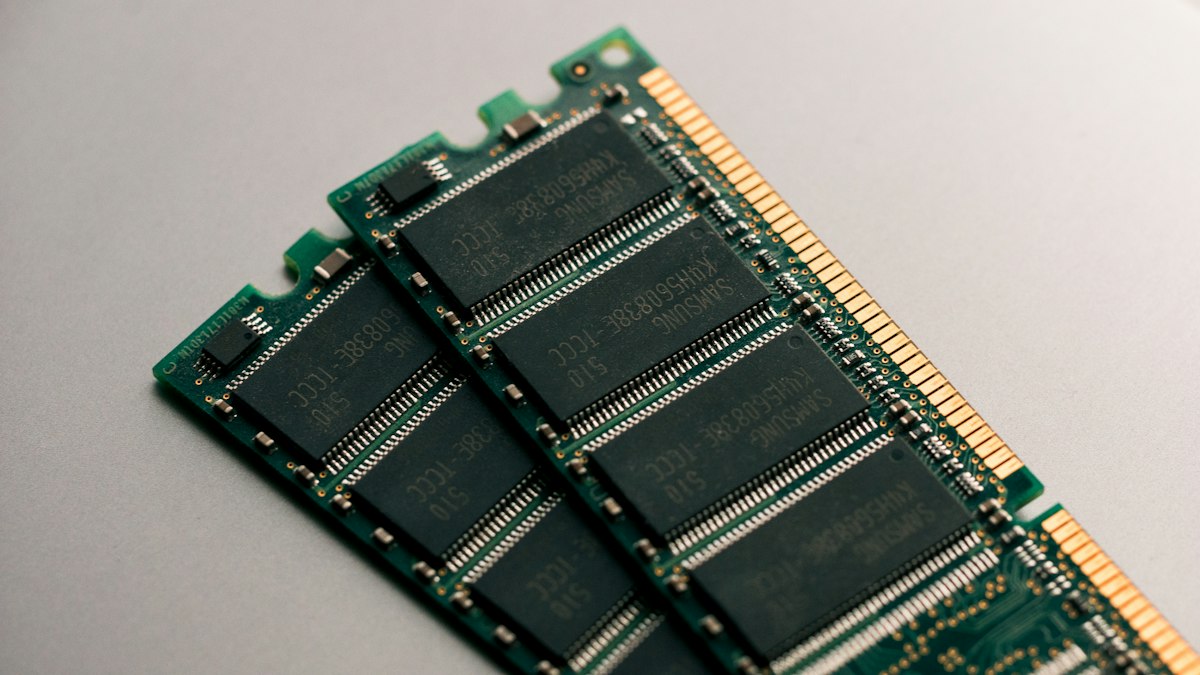
Fix 7: Test your memory (RAM)
Faulty RAM returns wrong data, which can make any program crash with an access violation. It’s a likely cause when the error appears in many different programs, at random, or together with blue screens.
- Save your work and close everything.
- Press Windows + R, type
mdsched.exeand press Enter. - Choose Restart now and check for problems. The test runs before Windows starts and takes several minutes.
- After Windows starts again, the result appears as a notification. If you miss it, open Event Viewer > Windows Logs > System and look for the source MemoryDiagnostics-Results.
If the test reports errors, and you recently added RAM or changed memory settings such as XMP or EXPO in the BIOS, undo that first. Otherwise the memory module may need replacing; on a PC under warranty, contact the manufacturer.
Fix 8: Scan for malware
Malware that injects itself into other programs can cause access violations. Run a full scan in Windows Security > Virus & threat protection > Scan options > Full scan. If you suspect an infection, also run Microsoft Defender Antivirus (offline scan) from the same list, which restarts the PC and scans before Windows loads. Our guide on how to scan for malware walks through every scan type step by step.
Fix 9: Find a conflicting program with a clean boot
A clean boot starts Windows with only Microsoft services, so you can tell whether another program is interfering.
- Press Windows + R, type
msconfigand press Enter. - On the Services tab, tick Hide all Microsoft services, then select Disable all.
- On the Startup tab, select Open Task Manager and disable each startup item.
- Restart and try the program. If it works, turn services back on a few at a time until the error returns, and you’ve found the culprit.
- When you’re done, go back to
msconfig, choose Normal startup and restart.
Fix 10: Undo recent changes
If the error started after a specific change, reverse it:
- After a Windows update: Settings > Windows Update > Update history > Uninstall updates, and remove the most recent one.
- After installing other software: uninstall it and test again.
- Otherwise use System Restore: press Windows + R, type
rstrui, and choose a restore point from before the problem started. Your personal files aren’t affected, but apps installed after that point will need reinstalling.
If it happens while installing Windows
An access violation during Windows setup or a large update usually points to the installation media or the hardware, not to a program.
- Create fresh installation media with Microsoft’s Media Creation Tool on a different USB drive.
- Disconnect everything you don’t need: extra drives, docks, printers and USB devices.
- Run the memory test in Fix 7 if you can still start Windows.
- Check your PC maker’s website for a BIOS or UEFI firmware update, and follow their instructions exactly.
Frequently asked questions
Is 0xc0000005 a virus?
Not usually. It’s a general error that appears whenever a program breaks Windows’ memory rules. Malware is one possible cause, which is why Fix 8 is included, but program bugs, drivers and damaged files are far more common.
Can 0xc0000005 damage my computer?
No. The error is Windows protecting itself by closing the program. The only risk is losing unsaved work in the program that crashed.
Should I turn off Data Execution Prevention (DEP) to fix it?
We don’t recommend it. DEP is a security feature that stops code running from protected memory. Turning it off for a whole PC weakens its protection against attacks, and it rarely fixes the error. Updating or reinstalling the program is the safer route.
Why does only one game crash with 0xc0000005?
When only one program is affected, the cause is almost always in that program, its add-ons or mods, or the graphics driver it uses. Verify the game files in your game launcher, remove mods, and update the graphics driver (Fix 6).
Leave a Reply